In Shipdock, Česká pošta / Balíkovna is integrated via the Pošta Online system, which allows you to:
Generate labels directly from orders
Print labels
Send tracking numbers
To connect to the API and print labels, you must have:
Access to Pošta Online
An active contract with Česká pošta
Access to the B2B Section/Profile (contact your account manager)
An API key created in the B2B profile
A paid FULL plan
To display the Pickup Points widget, you must have:
A paid LITE or FULL plan
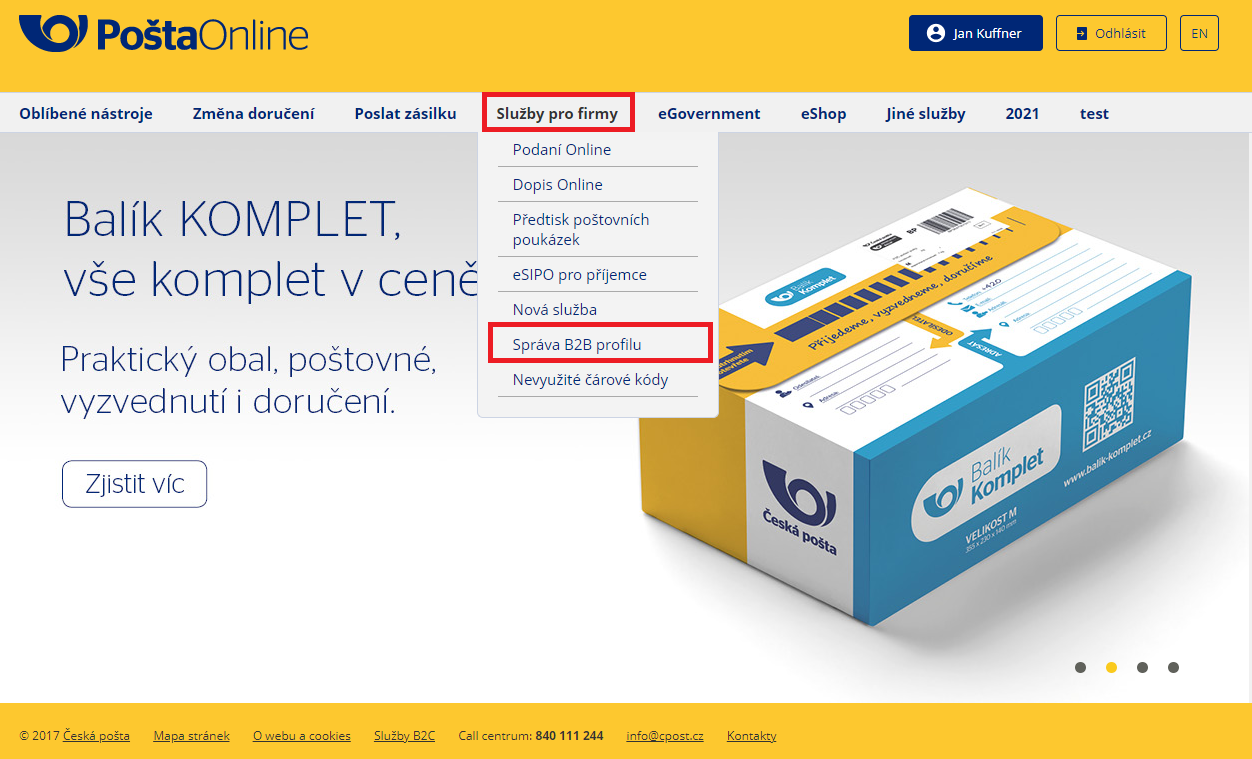
Log in to Pošta Online. Then, in the Business Services tab, click Manage B2B Profile.
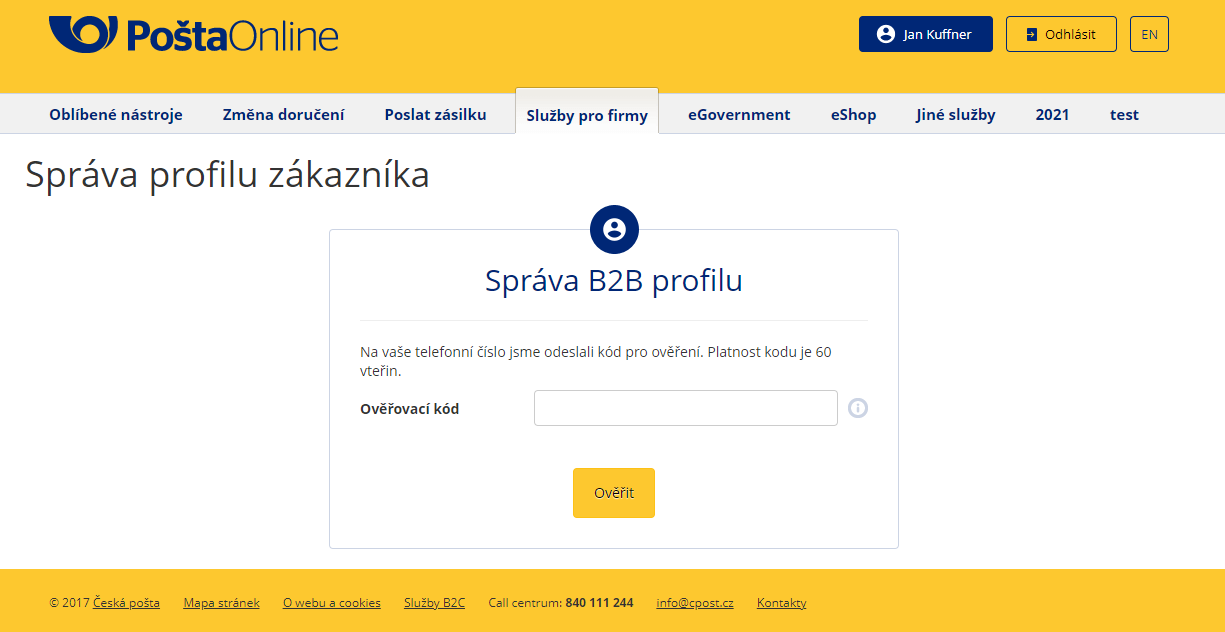
Click Manage – you will be prompted to enter an SMS code.
A summary of your account information will appear, and you will be able to generate API keys. Keys are created with a valid from date and remain valid indefinitely, or until a new key is activated.
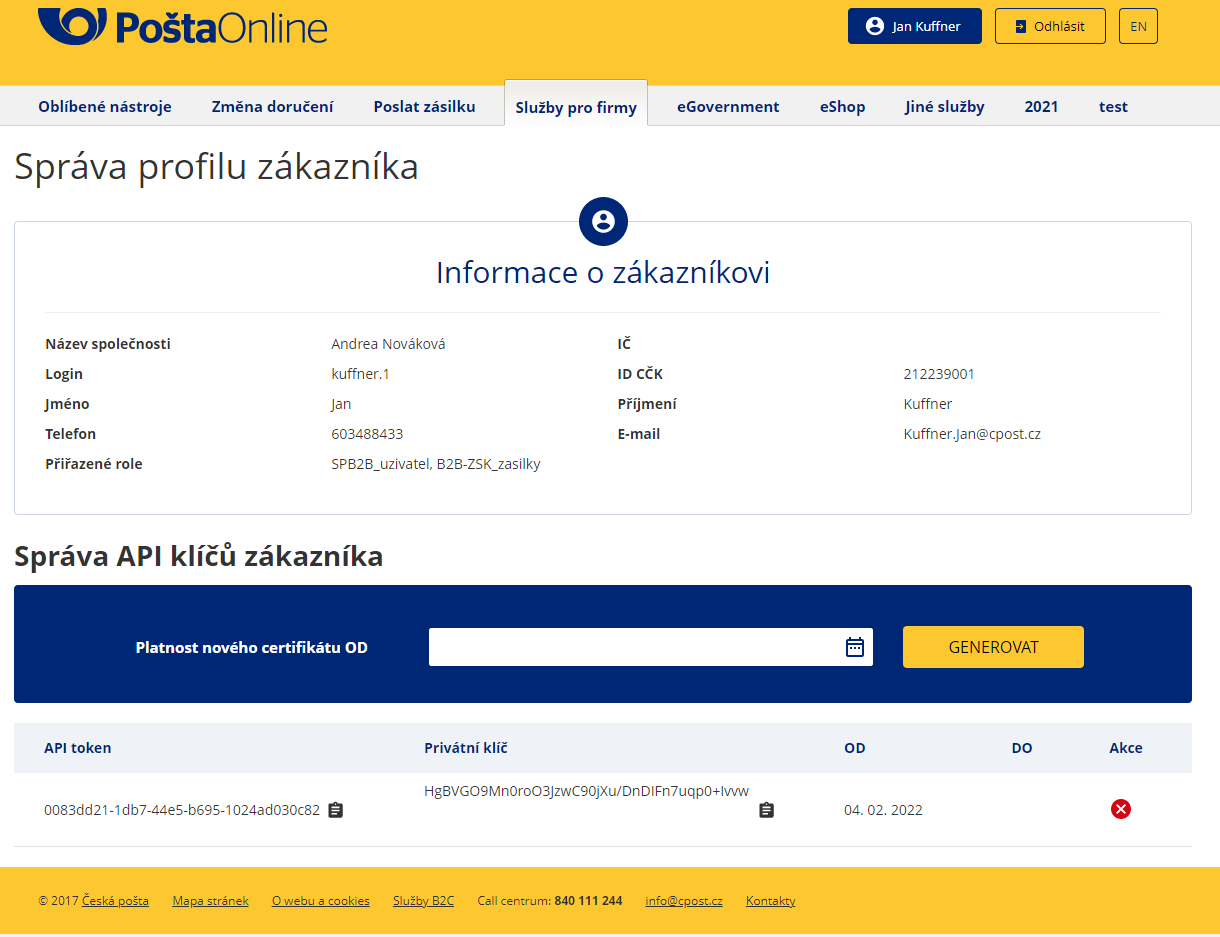
Once you have the API credentials ready:
In the application, go to Providers → Add provider.
Select Balíkovna or Česká pošta as the carrier type.
Fill in the required fields:
ID Contract (ID CČK)
API token
Secret key
Customer ID (Technological submitter number)
Post code (The postal code of the post office where shipments will be dropped off. Post offices are pre-contracted, and you cannot drop off shipments at other locations.)
Map the carrier to the corresponding shipping methods.
If you have not yet created shipping methods and rates:
👉 Follow this guide: Configure shipping rates for carrier integration
If you already have shipping methods and rates prepared:
If you are also using pickup points, make sure to select the relevant shipping methods in the Pickup Points section to display them to customers (Balíkovna only).
In the Home Delivery section, select the shipping methods you want to deliver via Česká pošta (Česká pošta only).
Set the carrier as active.
Save the provider.

To let customers choose a DPD Pickup point during checkout, you need to activate and configure the selection widget.
Follow the relevant guide based on your display type and Shopify plan.