COD orders stay unpaid in Shopify until someone marks them as paid. With this setting, ShipDock follows each COD parcel with the courier and marks the Shopify order as paid after the courier reports the parcel as delivered.
You need the Full plan. On other plans the card shows "Unlock this feature with the Full subscription." and the checkbox is locked.
Cash on delivery is set up and ShipDock recognises your COD payment method (see How to set up cash on delivery (COD)).
The setting only works with these couriers:
Packeta
PPL
DPD Czech Republic, DPD Slovakia (beta), DPD Croatia and DPD Slovenia (beta)
GLS Czech Republic, Slovakia, Romania, Hungary, Croatia, Serbia and Slovenia (the myGLS connection)
BoxNow
Balíkovna
Czech Post
GLS connections in other countries, Magyar Posta and all other couriers are not supported. Mark those orders as paid in Shopify yourself.
In ShipDock, open Settings → Cash on Delivery.
In the Collect COD Payment card, tick Upon delivery of the package, mark the order as paid.
Click Save.
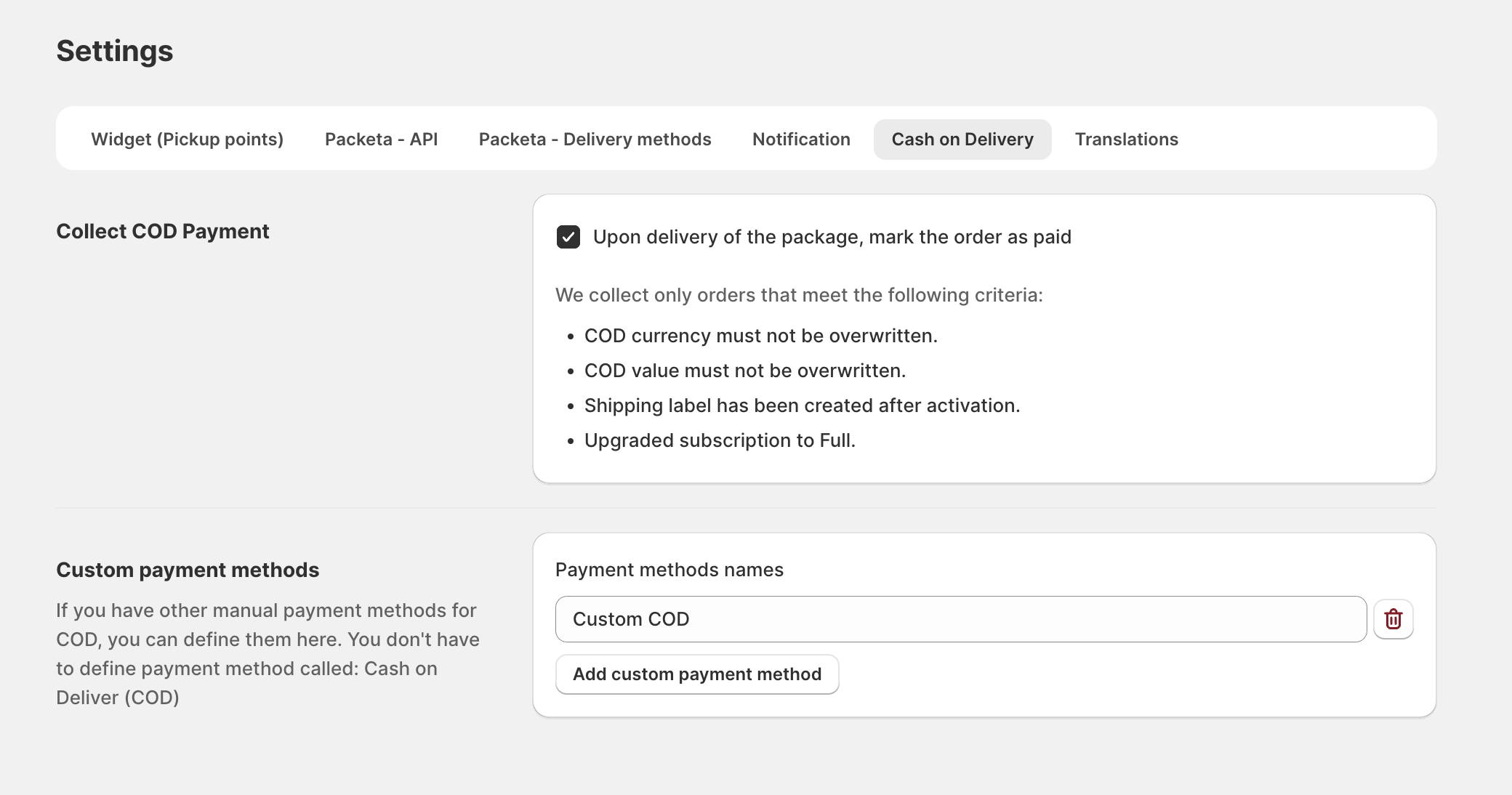
The setting applies to labels you create from now on. Orders whose label already exists are not followed.
DPD needs separate login details to report the parcel status. You get them on request from DPD support.
DPD Czech Republic: in Providers, open your DPD CZ connection and fill in Username (Optional) and Password (Optional) under GetParcelStatus API Credentials.
DPD Slovakia: open your DPD SK connection and fill in Hostname, Username and Password under ParcelStatus sFTP Credentials.
Save the connection. Without these details, ShipDock cannot see when DPD delivers the parcel, and the order stays unpaid.
An order is followed only when all of these are true. The same list is shown in the app under We collect only orders that meet the following criteria:.
The courier is on the list above.
The shipping label was created after you turned the setting on.
The label was created with a COD amount (the order is a COD order and was not already paid).
The order's COD value and currency were not overridden in Edit order.
Note: Saving the Edit order page also saves the order's currency, even when Override currency is off. Orders you saved there before creating the label are currently not followed, so mark them as paid yourself.
You create a COD label. ShipDock starts following the parcel.
The first check with the courier is about 10 hours later. After that, ShipDock checks again every few hours, depending on where the parcel is.
When the courier reports the parcel as delivered, ShipDock marks the Shopify order as paid at the next check.
ShipDock stops following a parcel when:
the courier reports it as returned, refused or cancelled. The order is not marked as paid.
for Packeta and DPD: the courier still reports no movement 40 days after the label was created, for example because the parcel was never handed over.
Note: While the setting is off, ShipDock does not mark any order as paid, including parcels it already follows. When you turn it back on, it continues with them.
Each time ShipDock marks a COD order as paid, it also starts the Shopify Flow trigger COD marked as paid. Use it to tag the order, notify your accounting or pass the payment to another app.
In Shopify admin, open Apps → Flow and click Create workflow.
Click Select a trigger, search for ShipD Delivery and choose COD marked as paid.
Add your conditions and actions, then turn the workflow on.
Besides the order, the trigger gives your workflow the tracking number (trackingNumber), the courier (provider, providerName), the collected amount and currency (codAmount, codCurrency), the courier's status (courierStatus) and the time it was marked as paid (markedAt).
The trigger runs only when ShipDock marks the order as paid. Orders you mark as paid yourself in Shopify don't start it.
The order was delivered but is still unpaid in Shopify. Check:
Timing: delivery was recent. Allow several hours after the courier shows the parcel as delivered.
Courier: the courier or GLS country is not on the supported list.
DPD: the GetParcelStatus (DPD CZ) or ParcelStatus sFTP (DPD SK) details are missing or wrong.
Setting: it was turned on after the label was created, or it is turned off now.
Order changes: the COD value or currency was overridden, or the order was saved in Edit order before the label was created.
Plan: the store is not on the Full plan.
Parcel: it was returned or refused, or (Packeta and DPD) the courier reported no movement for 40 days after the label was created.
In all these cases, mark the order as paid in Shopify yourself.