This guide is for shops that send parcels with Packeta from the Czech Republic, Slovakia, Romania, Poland, Hungary, Slovenia or Germany. Once Packeta is connected, customers can choose a Packeta pickup point, a Z-Box locker or home delivery, and you can create Packeta labels in ShipDock.
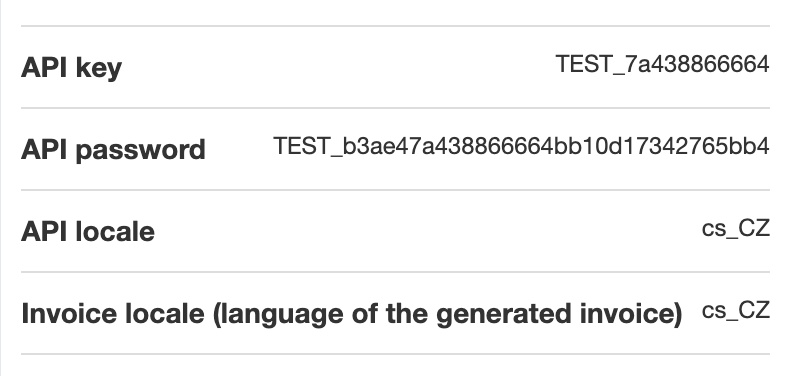
You need a Packeta client account with API access. Your API key and API password are in the Packeta client section under User support.
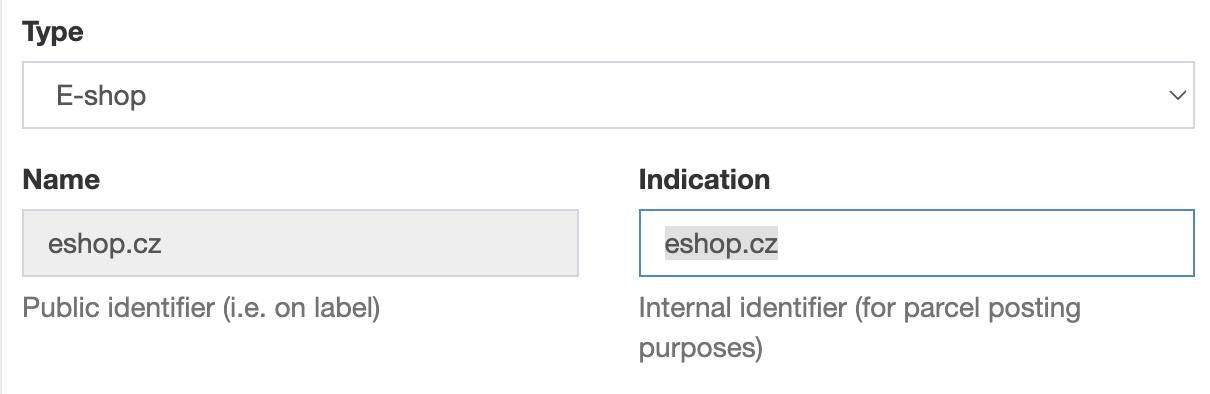
You also need a sender (the "indication"). In the Packeta client section, open Senders, create or edit a sender and copy its Indication.
Plan: Lite is enough to connect Packeta and show Packeta pickup points. To create shipping labels and customs declarations, you need Full.
Packeta has no test mode. Every label you create is a real packet.
In ShipDock, open Providers and click Create provider. You can also click Add a carrier on the ShipDock home page.
In the country selector, choose the country you ship from.
On the Packeta / Zásilkovna card, click Select (Zásilkovna is Packeta's Czech name). ShipDock creates the courier and opens its General tab.
In the Connection card, turn on Connect provider throught API.
Enter API key, API password and Default indication sender.
In the Status panel, choose Active.
Click Save.
Note: While the API connection is on, the Pickup points, Home delivery and Customs tabs stay locked until all three fields are filled in. If you only want Packeta pickup points in the widget (Lite plan, no labels), you can leave Connect provider throught API off.
COD money is paid out to the bank account in your Packeta account. ShipDock has no bank account field for Packeta.
Use this when parcels to some destination countries should go out under a different Packeta sender, all under one Packeta account.
In the Additional Senders card, click Add additional sender.
Enter the Indication sender.
In the rule, choose the destination countries (Shipping address - Country code).
Save.
When an order matches the rule, ShipDock uses that sender instead of the Default indication sender.
Open the Pickup points and Home delivery tabs. Under Choose integration, pick Manual rates mapping (select your existing Shopify rates), CCS - Dynamic Rates (ShipDock calculates the rates; your Shopify plan must allow carrier-calculated shipping rates) or, on the Pickup points tab, CCS - Nearest Pickup Points. Details are in How to set up shipping rates.
For home delivery, pick the Packeta carrier for each rate, for example CZ Packeta Home HD or DE Hermes HD. Packeta delivers to homes in 32 countries through Packeta Home and partner carriers.
For the pickup point widget, see How to add the pickup point widget to the Thank you and Order status pages or How to add the pickup point widget to checkout (Shopify Plus).
Customers can choose Packeta pickup points and Z-Box lockers, plus about 50 partner networks, for example SI Post, Speedy and Econt in Bulgaria, Sameday easybox in Romania, BoxNow in Greece, Bulgaria, Croatia and Cyprus, Omniva and Venipak in the Baltics, InPost Paczkomaty in Poland and Hermes in Germany.
To hide some of them, use the Exclusion card on the Pickup points tab: Packeta Parcelshop, Packeta box and, depending on your shipping countries, selected partner networks. The switches work only when the widget display mode is List with Map. Both display modes, Banner and List with Map, work with Packeta.
COD depends on the destination: it works for CZ, SK, HU, RO, PL, DE, AT, IT, ES, PT, GR, HR, SI, BG, EE, LV and LT. There is no COD to NL, FR, IE, FI, BE, SE, DK, LU or outside the EU.
ShipDock rounds the COD amount: CZK to whole crowns, HUF up to a multiple of 5, other currencies to 2 decimals. A value you enter in Edit order → Override COD value is sent as you typed it, so use a whole number for CZK and a multiple of 5 for HUF.
Automatic mark as paid works wherever COD is accepted. See How to mark COD orders as paid automatically.
Some Packeta home delivery partners deliver outside the EU (CH, GB, IL, UA, US, AE, TR). These parcels need a customs declaration:
Fill it in per order with Customs in Orders. Items come from the order. You add the invoice number and upload your own invoice PDF.
Packeta needs a positive delivery cost. For free-shipping orders, set Default delivery cost per destination on the Packeta Customs tab.
Home delivery: Yes, 32 countries through Packeta Home and partner carriers.
Pickup points: Yes, own network plus about 50 partner networks.
Cash on delivery (COD): Yes, depending on the destination.
Mark COD orders as paid automatically: Yes, where COD is accepted.
Cancel from the app: No, cancel the packet in the Packeta client section.
Test mode: No.
Extra services: Signature (FR Colissimo HD, FR Colis Privé Direct HD), Open (BG Speedy HD), set per rate on the Home delivery tab.
Age verification 18+: Currently unavailable for Packeta.
Insurance value: Yes, per order: Edit order → Override insurance value.
Label formats: PDF: A6, A6 on A4, A7, A7 on A4, 105x37mm on A4, A8 (and A6 with packing slips).
You can connect Packeta once per store. For more senders under one account, use Additional Senders.
Deleting a parcel in Orders removes it only from ShipDock. The packet still exists at Packeta, so cancel it in the client section.
The Verify age when dispensing (18+) setting on an order is not sent to Packeta.
Partner carrier labels are A6, even if you choose a smaller format.
I don't see the Packeta card. Stores that set up Packeta before couriers moved to Providers use the original setup. Contact ShipDock support to move your store to the providers setup.
The Pickup points and Home delivery tabs are greyed out. Fill in API key, API password and Default indication sender, or turn off Connect provider throught API.
"Provider connection is disabled. Please activate API connection with credentials in the provider detail." Turn on Connect provider throught API and save.
A COD order goes to a country without Packeta COD (for example NL or FR). ShipDock still sends the COD amount to Packeta. Settle the payment with the customer another way, set the COD value to 0 in Edit order → Override COD value, and don't offer COD for that country in your store.
"Shopify Shipping Rate (…) in order not assigned in Shipping settings." Map that shipping rate on the Packeta Pickup points or Home delivery tab.